Customization
Subscription
Since I’m not using a subscription (paid version with support) I have to change the repositories in the file /etc/apt/sources.list and add the PVE-no-subscription one so I can download updates.
The file looks like this.
deb http://ftp.es.debian.org/debian buster main contrib

deb http://ftp.es.debian.org/debian buster-updates main contrib

deb http://download.proxmox.com/debian/pve buster pve-no-subscription

deb http://security.debian.org buster/updates main contrib
To remove the subscription message each time I log in the GUI saying that I dont have a subscription I commented the /etc/apt/sources.list.d/pve-enterprise.list file
# deb https://enterprise.proxmox.com/debian/pve buster pve-enterprise
And modified the /usr/share/javascript/proxmox-widget-toolkit/proxmoxlib.js file using the nano editor and searching for data.status.
I had to modify this specific line changing the if condition so it never shows the message.
if (false) {
                    Ext.Msg.show({
                        title: gettext('No valid subscription'),
                        icon: Ext.Msg.WARNING,
                        message: Proxmox.Utils.getNoSubKeyHtml(data.url),
                        buttons: Ext.Msg.OK,
                        callback: function(btn) {
                            if (btn !== 'ok') {
                                return;
                            }
                            orig_cmd();
                        }
                    });
                } else {
                    orig_cmd();
                }
To apply the changes I did
service pveproxy restart, downloaded the latest updates with apt update && apt dist-upgrade -y and got rid of the annoying message.
Personalization
To add some custom personalization I changed the Proxmox logo with one made by myself. All I had to do was replace the /usr/share/pve-manager/images/proxmox_logo.png image with the one I wanted. The size must be 209 x 30 pixels.
To transfer the file I used WinSCP to SCP into the server and upload the image with the name proxmox_logo.png, so it replaces the default one.
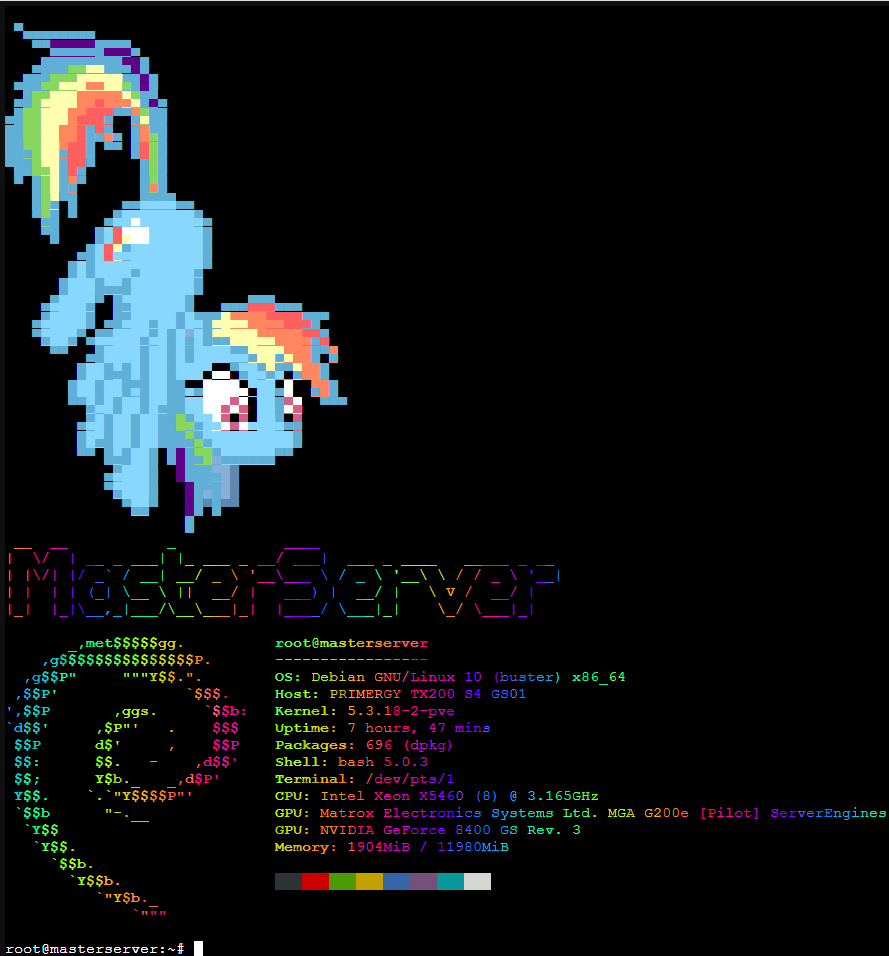
The default Proxmox message when using the shell its pretty annoying so I wanted to replace it with something else that looked better.
I installed neofetch, lolcat, figlet and ponysay with the following commands;
apt-get install ruby
wget https://github.com/busyloop/lolcat/archive/master.zip
unzip master.zip
cd lolcat-master/bin
gem install lolcat

apt-get install figlet
apt-get install neofetch

wget http://www.vcheng.org/ponysay/ponysay_3.0.2-1_all.deb
sudo dpkg -i ponysay_3.0.2-1_all.deb
After installing the required packages I had to set it so everytime a new shell is open the command would be run.
That can be done editing the ~/.bashrc file and adding the following line.
clear && ponysay -o -F rainbowdrag && figlet MasterServer |lolcat -a -d 1 -p 0.4 && neofetch |lolcat -a -d 2 -p 0.6
The final result looks like this.